
Welcome to nexttoppers. Managing time effectively has become challenging with increasing workloads, deadlines, and daily responsibilities. Time management software helps individuals and businesses organize tasks, plan schedules, track working hours, and improve productivity through smart digital tools.
Whether you are a professional, freelancer, student, or business owner, the right productivity software can make daily work more organized and efficient. These tools reduce wasted time, improve focus, and help users complete important tasks without unnecessary stress.
What Is Time Management Software?
Time management software is a digital tool that helps users organize tasks, schedule activities, track time, and improve productivity. It combines features like task lists, calendars, reminders, and progress tracking in one platform. Users can create tasks, set priorities, monitor deadlines, and analyze time usage. Automation and real-time updates help improve planning and reduce wasted time.Professionals, freelancers, students, and businesses use these tools to manage work, track projects, and improve workflows.
How Time Management Software Helps Manage Daily Work
Time management software helps users handle daily responsibilities with better organization and focus.
- Task planning: Create task lists, set priorities, and break large projects into manageable steps.
- Scheduling: Plan meetings, activities, and deadlines using calendars and reminders.
- Deadline tracking: Monitor progress and receive alerts to complete tasks on time.
- Productivity improvement: Analyze work habits, reduce distractions, and improve time usage.
Key Features of Time Management Software
Time management software offers essential features that help users organize work, track progress, and improve productivity. These tools simplify planning and make daily tasks easier to manage.
Task Management and Scheduling
Task management features help users create, organize, and complete tasks efficiently. They allow better planning and ensure important work is completed on time.
- Creating tasks: Add daily tasks, projects, and assignments in one organized list.
- Setting priorities: Mark important tasks and focus on high-value activities first.
- Managing deadlines: Set due dates and track progress to avoid delays.
Time Tracking and Productivity Reports
Time tracking features help users understand how they spend their working hours. Reports provide insights that support better decisions and improved performance.
- Tracking working hours: Monitor time spent on tasks and projects.
- Understanding productivity patterns: Identify efficient work habits and areas needing improvement.
- Improving efficiency: Use reports to reduce wasted time and optimize workflows.
Calendar Integration and Reminders
Calendar tools help users manage schedules and stay updated about important activities. Reminders ensure tasks and meetings are not missed.
- Schedule management: Organize tasks, appointments, and events in one calendar.
- Notifications: Receive alerts for upcoming deadlines and activities.
- Meeting planning: Schedule meetings and coordinate availability easily.
Team Collaboration and Workflow Management
Collaboration features help teams manage projects and communicate effectively. They create a shared workspace for better coordination.
- Shared tasks: Assign and monitor tasks across team members.
- Team communication: Share updates and discuss project progress.
- Project coordination: Manage workflows and keep teams aligned.
Read also: Study.com: Courses, Pricing, Features, and How It Works
Benefits of Using Time Management Software
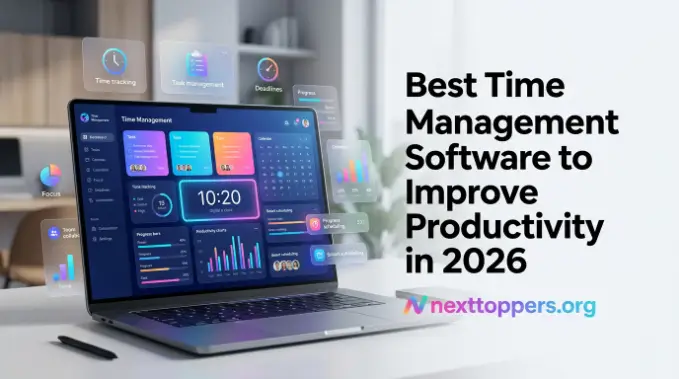
Time management software helps users organize tasks, improve focus, and manage workloads efficiently. These tools reduce wasted time, support better planning, and improve productivity through smart features and automation.
Improve Productivity and Focus
Time management software helps users stay focused by organizing tasks and reducing distractions. Features like task priorities, reminders, and progress tracking allow users to complete important work without losing focus.
Using productivity software creates a clear workflow that helps users finish tasks faster. It improves concentration by keeping daily responsibilities organized and easy to manage.
Save Time and Organize Work Better
Time management software saves time by simplifying planning and reducing manual tracking. Users can create schedules, manage tasks, and monitor progress from a single platform.
With workflow management tools, individuals and businesses can automate routine activities and maintain better organization. This allows users to spend more time on important tasks instead of manual updates.
Manage Personal and Team Workflows
Time management software helps individuals, businesses, and remote teams manage their workflows effectively. Guide It provides tools for organizing tasks, tracking progress, and improving collaboration.
Using team productivity tools allows teams to share responsibilities, coordinate projects, and maintain smooth communication. These features help users achieve goals with better planning and coordination.
Best Time Management Software for Different Users
Time management software helps users organize tasks, manage schedules, and improve productivity. Individuals can plan daily activities, businesses can manage projects, and freelancers can track client work. The right tool supports better organization, saves time, and improves workflow efficiency based on specific needs.
Best Time Management
- Individuals: Manage tasks, plan schedules, track goals, and improve personal productivity with organized workflows.
- Businesses: Manage projects, assign tasks, monitor progress, and improve team performance efficiently.
- Teams: Share responsibilities, communicate updates, and coordinate projects smoothly.
- Freelancers: Track client work, manage deadlines, and organize multiple projects effectively.
- Remote workers: Plan activities, collaborate online, and maintain productivity anywhere.
- Professionals: Prioritize tasks, automate reminders, and manage workloads efficiently.
Common Time Management Software Mistakes
Time management software helps users organize work and improve productivity, but incorrect usage can reduce its benefits. Common mistakes like selecting unnecessary features, ignoring productivity reports, and poor task prioritization can affect efficiency. Avoiding these issues helps users get better results from productivity tools and manage tasks effectively.
Choosing Too Many Features
Many users choose software with extra features they do not need. A complex system can create confusion and make daily task management harder instead of improving productivity.
Solution: Select tools based on actual needs and focus on features that support your workflow. A simple and suitable solution is often more effective than a tool with unnecessary options.
Not Reviewing Productivity Data
Some users track their time but fail to review reports and performance insights. Without checking data, they cannot identify wasted time or improve their working habits.
Solution: Check reports regularly to understand productivity patterns and make better decisions. Reviewing progress helps users adjust workflows and improve overall efficiency.
Poor Task Prioritization
Managing too many tasks without priorities can reduce focus and delay important work. Users may spend time on less valuable activities while missing key deadlines.
Solution: Focus on important tasks first by setting clear priorities. Organizing work based on urgency and importance helps users complete responsibilities faster and maintain better productivity.
Time Management Software vs Traditional Planning
Time management software offers advanced features that make planning, tracking, and collaboration easier compared to traditional methods. While notebooks and manual planners can help organize tasks, digital tools provide automation, reminders, and detailed insights for better productivity.
| Feature | Software | Traditional Planning |
| Task updates | Automatic updates | Manual updates |
| Reminders | Built-in alerts | Limited reminders |
| Tracking | Detailed reports | No tracking |
| Collaboration | Easy sharing | Difficult sharing |
Frequently Asked Questions
What is time management software used for?
Time management software helps users organize tasks, track time, manage schedules, and improve productivity through efficient digital solutions.
Is time management software useful for small businesses?
Yes, it helps small businesses manage projects, assign tasks, monitor progress, and improve team collaboration with better organization.
Can free time management software improve productivity?
Yes, free tools help users plan tasks, set reminders, organize schedules, and maintain better daily productivity without extra costs.
What features should time management software have?
Essential features include task management, time tracking, reminders, calendar integration, reports, and workflow management options.
How does time management software save time?
It saves time by automating planning, reducing manual updates, tracking progress, and helping users focus on important activities.
Conclusion
Time management software helps individuals and businesses organize tasks, track progress, and improve productivity. With features like scheduling, reminders, and time tracking, these tools make daily work easier and more efficient.
Choosing the right productivity software depends on your goals, workflow, and required features. A suitable tool can reduce wasted time, improve focus, and help users manage responsibilities more effectively.
