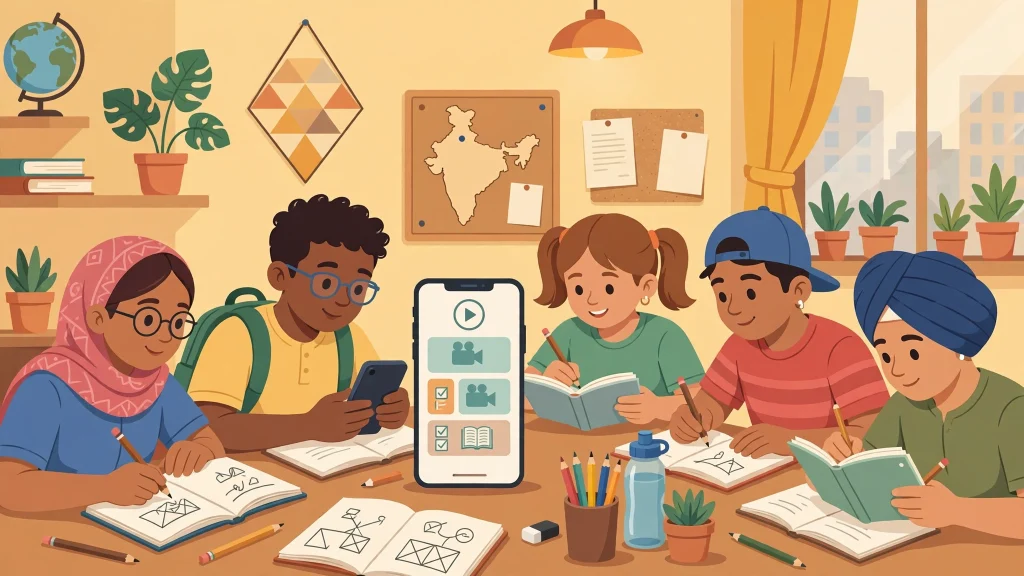
The Next Toppers app is the main home of the brand’s batches, live classes, recorded lectures, test series, and study notes. With more than five million installs on Google Play and a rating above 4.4 stars from over 140,000 reviews, it is one of the most-used study apps for CBSE students in India. This guide walks you through a safe Next Toppers app download on Android, iPhone, and PC — and answers the questions students ask most: how to log in, what to do when the app misbehaves, and whether a “Next Toppers mod APK” is a good idea. (Spoiler: it is not.)
Table of Contents
- What the Next Toppers App Offers
- Next Toppers App Download for Android
- What to check before installing
- Next Toppers App Download for iPhone (iOS)
- Next Toppers App for PC (Windows and Mac)
- PC tips worth knowing
- Next Toppers Login: How It Works and How to Fix Problems
- How to log in
- Common login problems and fixes
- Still stuck? Contact official support
- The Truth About “Next Toppers Mod APK”
- What a mod APK actually is
- The real risks
- The bottom line
- Quick Safety Checklist
- FAQ
- Is the Next Toppers app download free?
- Can I use Next Toppers on my PC or laptop?
- How do I log in to the Next Toppers app?
- What should I do if my purchased batch is not showing?
- Is it safe to download a Next Toppers mod APK?
- What is the official website of Next Toppers?
Before you start your Next Toppers app download, here is a quick look at what you get inside the app — straight from the teachers behind the brand:
- Live interactive classes for CBSE Classes 9 and 10 (and more), with real-time doubt-solving
- Recorded lectures so you can revise any topic anytime
- Test series that simulate real exam conditions, with feedback and performance analytics
- Study notes, PDFs, and question banks provided with batches like Aarambh 2.0 and Nirmaan
- Free lessons and resources alongside premium batches sold as in-app purchases — so even a basic Next Toppers app download gives you study value without paying
- Personalized learning recommendations that adapt to your progress
The app is free to download. Free content is available without paying, while full batch courses are purchased through official in-app purchases or the official website. (Our Next Toppers coupon code guide explains how official batch discounts work if you plan to buy a course.)
This is the safest and simplest route for your Next Toppers app download — straight from the official Google Play listing:
- Open the Google Play Store on your Android phone.
- Search for “Next Toppers” to begin your Next Toppers app download. Look for the app published by “Next Toppers” (the developer name shown on the listing) — this confirms it is the genuine app.
- Tap “Install.” The app is around 25–50 MB depending on the version, so it downloads quickly even on slower connections.
- Open the app and sign up with your mobile number or email address. After the Next Toppers app download completes, the app will guide you through creating your account.
- Developer name: It should read “Next Toppers.” Fake clone apps sometimes use similar names with different spellings.
- Download count: The genuine app has crossed 5 million installs.
- Reviews and rating: The official app holds a rating of around 4.4–4.5 stars with over a hundred thousand reviews.
- Permissions: The app collects some personal info and messages for its core features (as declared on its Play Store data-safety page). It does not share data with third parties according to the developer’s declaration.
The app requires Android 5.0 or higher, so it runs on almost every modern Android phone. It has been available on Google Play since November 2023 and is updated regularly — the recent 2.0.x versions brought an enhanced interface and bug fixes. Repeat these checks before every Next Toppers app download, even if you have installed it before.
The app is also available for Apple devices:
- Open the App Store on your iPhone or iPad.
- Search for “Next Toppers” and look for the official listing.
- Tap “Get” to complete the Next Toppers app download on your iPhone or iPad.
The iOS version requires iOS 13.0 or later (iPadOS 13.0 or later for iPads). Once the Next Toppers app download finishes on your Apple device, the sign-up and batch experience works the same way as on Android.
There is no official desktop app or web-player download from Next Toppers — but a Next Toppers app download on PC is still possible through an Android emulator. An emulator is a legitimate program that runs Android apps on your Windows PC or Mac. This is a popular option for students who prefer studying on a bigger screen with a keyboard.
Here is how to do it:
- Install a reputable Android emulator on your computer. Well-known free options include LDPlayer, BlueStacks, and NoxPlayer. Download the emulator only from its own official website — never from random download links.
- Open the emulator and sign in with your Google account, just like setting up an Android phone.
- Open the Google Play Store inside the emulator and search for “Next Toppers.”
- Install the official app (published by “Next Toppers”) and log in with your usual account. This is still the genuine Next Toppers app download — it is simply running inside the emulator instead of a phone.
- Your account works across devices. Batches you purchased on your phone appear on the PC emulator too, as long as you log in with the same mobile number or email.
- Performance matters. Emulators need a decent amount of RAM (8 GB or more is comfortable). Close heavy programs while studying to keep classes smooth.
- Prefer the browser? For quick information, the official website nexttoppers.com covers course details and support. But batch video classes and test series live inside the app.
Logging in is straightforward after your Next Toppers app download, but students do run into a few common issues. Here is everything in one place.
- Open the app and tap Log In / Sign In.
- Enter the mobile number or email you registered with.
- Enter the OTP sent to your phone, or your password if you set one.
- You land on your home screen with your batches under “My Batches” or “My Courses.”
- OTP not arriving: Wait a full minute, then tap “Resend OTP.” Make sure your phone has network signal and that your SMS inbox is not full. Do not spam the resend button — too many requests can temporarily block new codes.
- “Account not found” error: You may be entering a different number or email than the one you registered with. Try the other one. If you changed your number, contact support.
- Batch not showing after purchase: Log out and log back in first — this refreshes your account data. If the batch still does not appear, check that you are logged in with the same account you paid from.
- App crashing or freezing: Update the app to the latest version from the Play Store or App Store, clear the app cache (Settings > Apps > Next Toppers > Storage > Clear Cache on Android), and restart your phone. If it still crashes, reinstall the app.
- “Something went wrong” during payment: Do not pay twice immediately. Check your bank/UPI statement first — if money was deducted, your batch usually gets activated within a few hours. If not, contact support with your payment screenshot.
- Email: support@nexttoppers.com
- WhatsApp/phone: the official support number is listed on the app’s Play Store page and the official website
- In-app help: check the Help or Support section inside the app
- OTP not arriving: Wait a full minute, then tap “Resend OTP.” Make sure your phone has network signal and that your SMS inbox is not full. Do not spam the resend button — too many requests can temporarily block new codes.
- “Account not found” error: You may be entering a different number or email than the one you registered with. Try the other one. If you changed your number, contact support.
- Batch not showing after purchase: Log out and log back in first — this refreshes your account data. If the batch still does not appear, check that you are logged in with the same account you paid from.
- App crashing or freezing: Update the app to the latest version from the Play Store or App Store, clear the app cache (Settings > Apps > Next Toppers > Storage > Clear Cache on Android), and restart your phone. If it still crashes, reinstall the app.
- “Something went wrong” during payment: Do not pay twice immediately. Check your bank/UPI statement first — if money was deducted, your batch usually gets activated within a few hours. If not, contact support with your payment screenshot.
- Email: support@nexttoppers.com
- WhatsApp/phone: the official support number is listed on the app’s Play Store page and the official website
- In-app help: check the Help or Support section inside the app
Always contact support through these official channels. Never share your OTP, password, or payment details with anyone claiming to be a “Next Toppers agent” on social media or messaging apps.
This section matters, so read it carefully. Many students searching for a Next Toppers app download also stumble on results for a “Next Toppers mod APK” — a modified version of the app promising free premium batches, unlocked courses, or removed payment screens. Here is why that is a terrible idea:
A mod APK is the official app file, altered by an unknown third party and re-uploaded to unofficial download sites. It is not published, approved, or supported by Next Toppers. When you install one, you hand over control of your phone to whoever modified the file.
- Malware and spyware: Mod APK files are one of the most common ways malware reaches Android phones. A modified app can silently steal your photos, messages, contacts, banking apps data, and saved passwords.
- Account theft and bans: Modded apps can capture your login credentials. If the platform detects a modified client accessing your account, your account can be suspended or permanently banned — along with every batch you paid for.
- No updates, no support: Mod APKs do not receive official updates, so bugs never get fixed and new features never arrive. And if something goes wrong, official support cannot help you with an unofficial app.
- It is piracy: Premium batches are how the teachers and the platform are paid. Using a cracked version to access paid content without paying is copyright infringement.
There is no safe Next Toppers mod APK. Every site offering one is either distributing malware, running a scam, or both. The official app is free to download, comes with genuinely free lessons, and the paid batches are priced affordably (around Rs. 2,500–3,000 for a full year). A genuine Next Toppers app download comes only from the Google Play Store, the Apple App Store, or the official website — those are the only safe sources.
Before you download anything, run through this list:
- Run through a complete Next Toppers app download only from the Google Play Store, Apple App Store, or the official website (nexttoppers.com).
- Never install APK files from Telegram channels, WhatsApp forwards, or “free APK” websites.
- Verify the developer name (“Next Toppers”) and the high install count before tapping install.
- Pay for batches only inside the official app or website checkout.
- Keep your OTP and password private — official support will never ask for them.
Yes. The Next Toppers app download is free on the Google Play Store and the Apple App Store. The app includes free lessons and resources; full batch courses like Aarambh 2.0 are paid and purchased through in-app purchases.
There is no official desktop app, but you can run the official Android app on a PC or Mac using a reputable Android emulator (such as LDPlayer or BlueStacks), installed from the emulator’s own official website.
After your Next Toppers app download, open the app, enter your registered mobile number or email, and verify with the OTP sent to your phone. Your purchased batches appear under “My Batches.”
Log out and log back in with the same account you used for payment. If it still does not appear, contact support@nexttoppers.com with your payment details.
No. Mod APK files are unofficial, can contain malware that steals your data, can get your account banned, and give you no access to official support or updates. Download only from the Play Store, App Store, or the official website.
The official website is nexttoppers.com, where you can find course details, batch information, and support contacts — including help with your Next Toppers app download.
Safety note: App versions, prices, and batch availability change over time. Always download from the official stores linked in this guide, and confirm current batch details inside the official app.